SecurityControl Who Sees What, and Let the Platform Handle the Rest Security in CitySoft works on two levels. You decide who can log in, which modules they can use, and which sites they can manage. The platform takes care of the rest on every request - screening for injection and scripting attacks, limiting abusive traffic, filtering bots, and logging what it blocks. 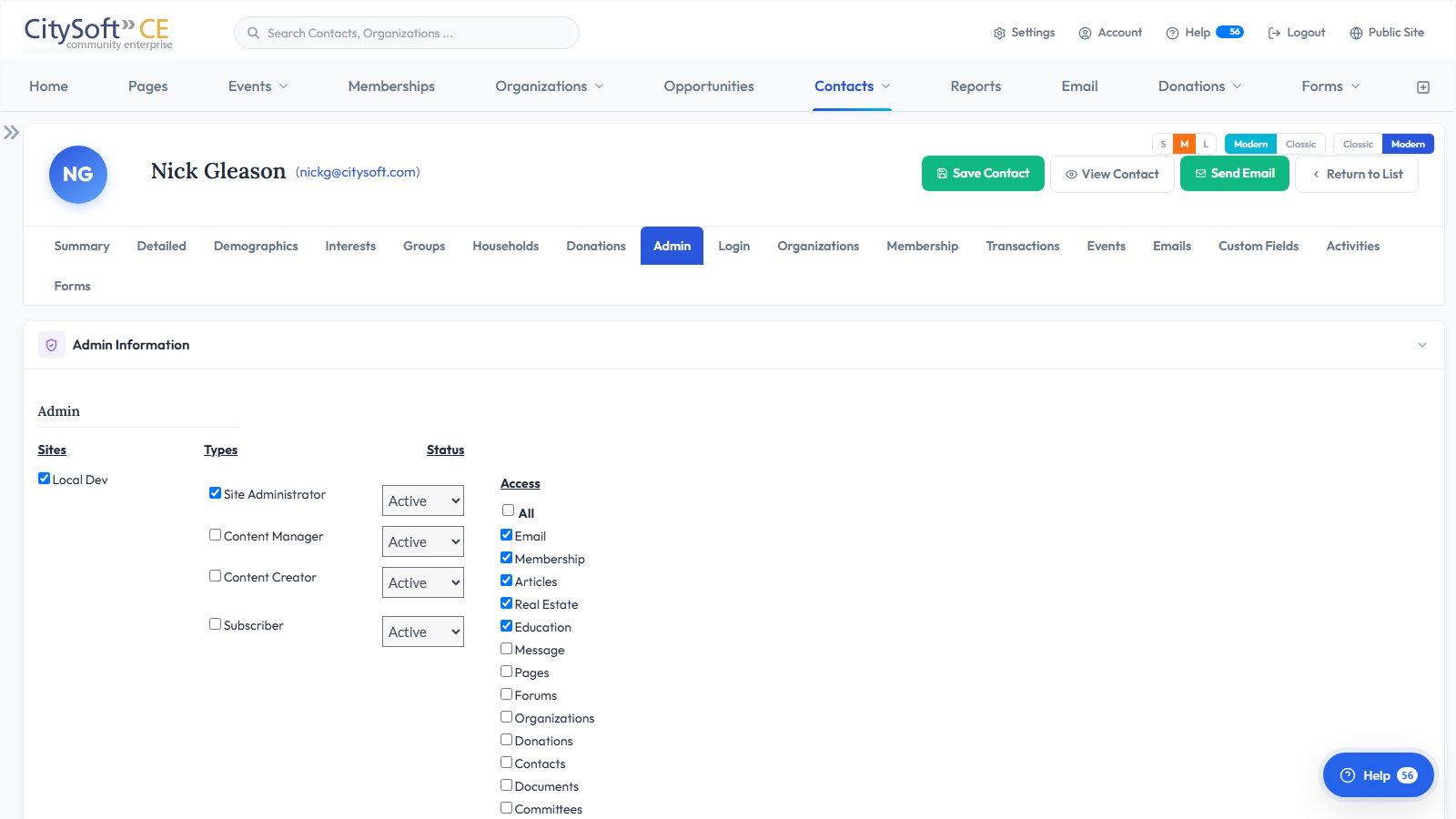
What You Can DoRoles and PermissionsCreate roles that match your staff - membership coordinator, events team, bookkeeper - and each person sees only the modules and actions their role allows. Access by SiteLimit an administrator to the chapters or sites they're responsible for, so a local admin never touches another chapter's data. Secure LoginsPasswords are stored with industry-standard hashing and never in plain text. Idle admin sessions time out automatically. Every Request ScreenedEach page request is checked for SQL injection, cross-site scripting, and header injection before it reaches your data, with no setup on your part. Rate Limiting and Bot FilteringAbusive traffic is throttled and known bad crawlers are turned away. Public forms can require reCAPTCHA to keep spam submissions out. Security LogsLogin attempts, failed authorizations, and blocked requests are recorded so you can see what happened and when. Works Great WithSee Security in ActionSchedule a personalized demo and see how CitySoft protects your data while keeping your team productive. Request a Demo |