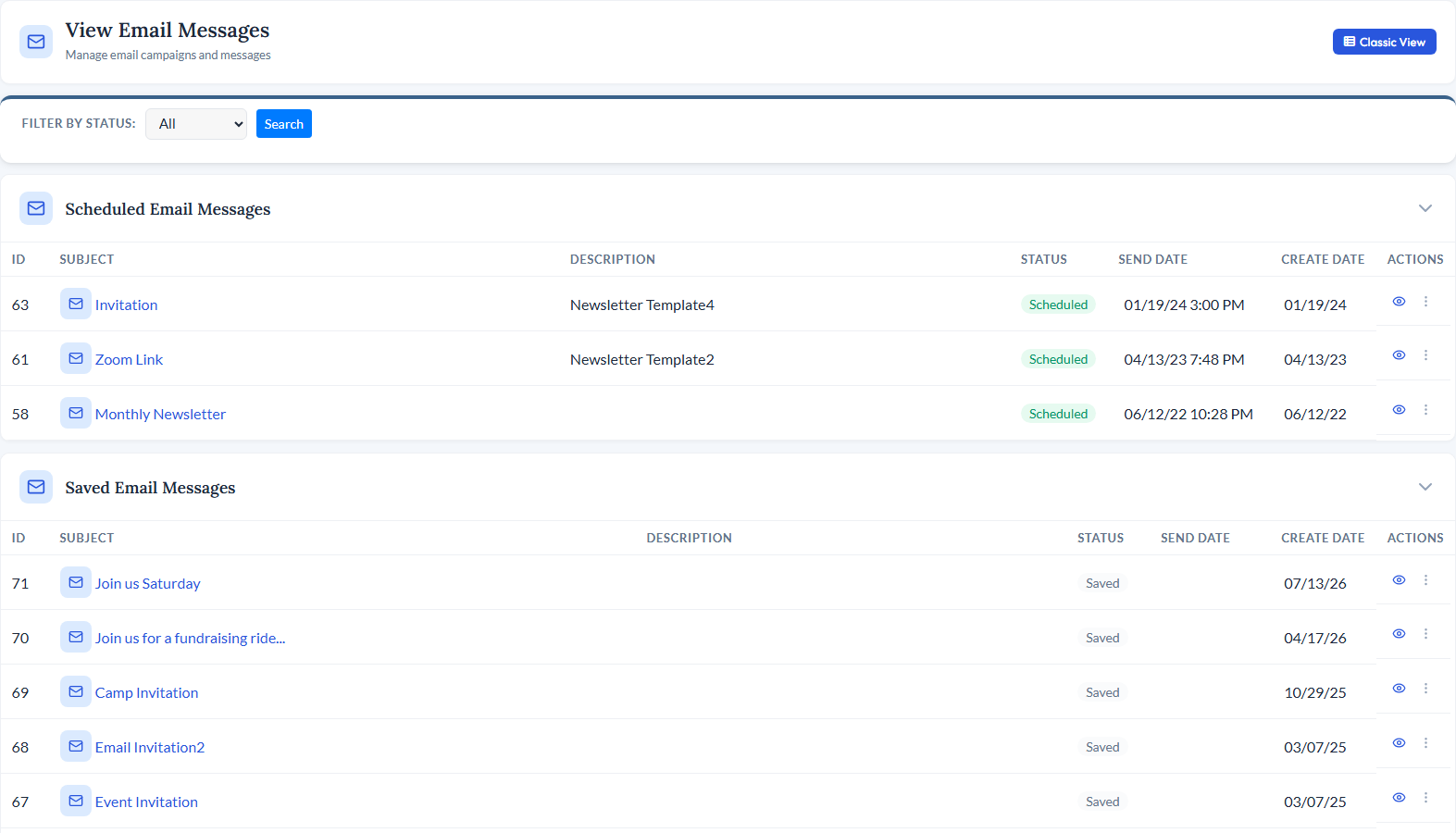
| <div class="module-page"> <!-- ============================================ 1. MODULE INTRO ============================================ --> <div class="mp-intro"> <div class="mp-icon" style="background-color: rgba(239, 68, 68, 0.15);"> <i data-lucide="mail" style="color: #EF4444;"></i> </div> <h1>Email Newsletter</h1> <p class="mp-tagline">Send, Track, and Manage - All Inside Your Database</p> <p class="mp-description"> Send HTML email campaigns to targeted lists of contacts, members, donors, and more - all from within your existing database. No separate email platform needed. Your lists stay in sync automatically, metrics feed back into contact records, and everything lives in one place. </p> <div class="mp-cta-buttons"> <a href="/request-demo" class="btn btn-primary">Request a Demo</a> <a href="/pricing" class="btn btn-outline">View Pricing</a> </div> </div> <!-- ============================================ 2. PRODUCT SCREENSHOT ============================================ --> <div class="mp-screenshot"> <img src="/_data/global/images/moduleimages/updatedmodules/emailmodule2022.jpg" alt="CitySoft Email Newsletter module showing email campaign editor and list management"> </div> <!-- ============================================ 3. KEY CAPABILITIES GRID ============================================ --> <div class="mp-section"> <h2 class="mp-section-title">What You Can Do</h2> <div class="mp-capabilities"> <!-- Capability 1 --> <div class="mp-capability-card"> <div class="mp-capability-icon" style="background-color: rgba(239, 68, 68, 0.15);"> <i data-lucide="refresh-cw" style="color: #EF4444;"></i> </div> <h3>Auto-Synced Email Lists</h3> <p>Email lists for members, groups, event registrants, and donors stay in sync automatically. As records change across the platform, your lists update so you always reach the right people.</p> </div> <!-- Capability 2 --> <div class="mp-capability-card"> <div class="mp-capability-icon" style="background-color: rgba(239, 68, 68, 0.15);"> <i data-lucide="filter" style="color: #EF4444;"></i> </div> <h3>List Segmentation</h3> <p>Target any group of database records with segmentation tools. Create focused lists from contacts, members, donors, or any combination - and build custom segmented lists via the Reports module.</p> </div> <!-- Capability 3 --> <div class="mp-capability-card"> <div class="mp-capability-icon" style="background-color: rgba(239, 68, 68, 0.15);"> <i data-lucide="bar-chart-3" style="color: #EF4444;"></i> </div> <h3>Campaign Metrics & Dashboards</h3> <p>Track opens, click-throughs, conversions, and bounces for every campaign. Metric dashboards give you a clear picture of how each email performed.</p> </div> <!-- Capability 4 --> <div class="mp-capability-card"> <div class="mp-capability-icon" style="background-color: rgba(239, 68, 68, 0.15);"> <i data-lucide="shield-check" style="color: #EF4444;"></i> </div> <h3>Premium Deliverability</h3> <p>SPF, DKIM, and DMARC authentication services are built in to maximize campaign deliverability. Bounce management keeps your lists clean automatically.</p> </div> <!-- Capability 5 --> <div class="mp-capability-card"> <div class="mp-capability-icon" style="background-color: rgba(239, 68, 68, 0.15);"> <i data-lucide="database" style="color: #EF4444;"></i> </div> <h3>No Data Silos</h3> <p>Email lists and campaign metrics are part of your overall database - not separated into a different tool. Every send, open, and click is tied directly to the contact record.</p> </div> <!-- Capability 6 --> <div class="mp-capability-card"> <div class="mp-capability-icon" style="background-color: rgba(239, 68, 68, 0.15);"> <i data-lucide="layout-template" style="color: #EF4444;"></i> </div> <h3>Templates & Scheduling</h3> <p>Start from provided HTML email templates or import your own. Schedule campaigns to send at a future date and time so your emails go out exactly when you want.</p> </div> </div> </div> <!-- ============================================ 4. RELATED MODULES ============================================ --> <div class="mp-section"> <h2 class="mp-section-title">Works Great With</h2> <div class="mp-related"> <!-- Related Module 1: Contacts --> <a href="/modules/contacts" class="mp-related-card"> <div class="mp-related-icon" style="background-color: rgba(59, 130, 246, 0.15);"> <i data-lucide="circle-user-round" style="color: #3B82F6;"></i> </div> <h3>Contacts</h3> <p>Email lists pull directly from your contact database and campaign metrics feed back into each contact's interaction history.</p> <div class="card-link"> <span>Learn more</span> <i data-lucide="arrow-right"></i> </div> </a> <!-- Related Module 2: Members --> <a href="/modules/members" class="mp-related-card"> <div class="mp-related-icon" style="background-color: rgba(139, 92, 246, 0.15);"> <i data-lucide="users" style="color: #8B5CF6;"></i> </div> <h3>Members</h3> <p>Auto-maintained lists like "All Active Members" and "All Inactive Members" keep your membership communications always up to date.</p> <div class="card-link"> <span>Learn more</span> <i data-lucide="arrow-right"></i> </div> </a> <!-- Related Module 3: Groups --> <a href="/modules/groups" class="mp-related-card"> <div class="mp-related-icon" style="background-color: rgba(249, 115, 22, 0.15);"> <i data-lucide="layers" style="color: #F97316;"></i> </div> <h3>Groups</h3> <p>Create email lists from any group that sync automatically - send to a committee, board, or volunteer team knowing the list is always current.</p> <div class="card-link"> <span>Learn more</span> <i data-lucide="arrow-right"></i> </div> </a> </div> </div> <!-- ============================================ 5. BOTTOM CTA ============================================ --> <div class="mp-bottom-cta"> <h3>See Email Newsletter in Action</h3> <p>Schedule a personalized demo and see how CitySoft's built-in email tools replace the need for a separate email platform.</p> <a href="/request-demo" class="btn">Request a Demo</a> </div> </div> |